


Resume Builder - CV Engineer
4.61.08K Reviews
App Specs
- Version
- 18.01.85
- Updated On
- License
- Free
- Downloads
- 5,000,000+
- Developer
- Matt Callery
- Categories
- Business
- Platform
- Android, iOS
Screenshots
 Analysis by AppCompare
I found Resume Builder - CV Engineer most useful as a practical starting point when a job application is looming and a blank page feels like the biggest obstacle. It is a free business app from developer Matt Callery, and its guided approach is aimed at turning your work history into a resume without requiring you to be comfortable with layout software. I would treat it as a drafting and organizing tool, though—not a substitute for checking every detail or tailoring your application to the role.
Creating a Resume Made Easy
First off, the user interface of the Resume Builder - CV Engineer is as friendly as it gets. The moment you launch the app, you're greeted with a clean, intuitive layout that practically begs you to start creating. I mean, who said building a resume had to be a chore? Here, it's almost like a game, and it guides you through each step with a series of prompts and questions.
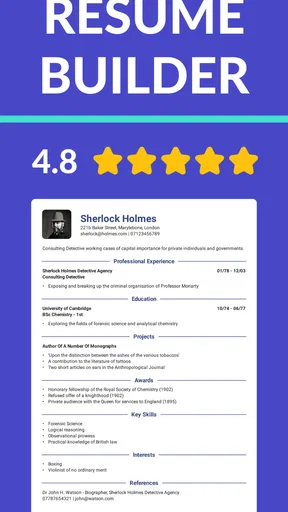
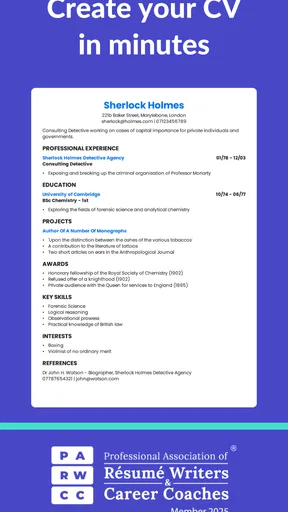
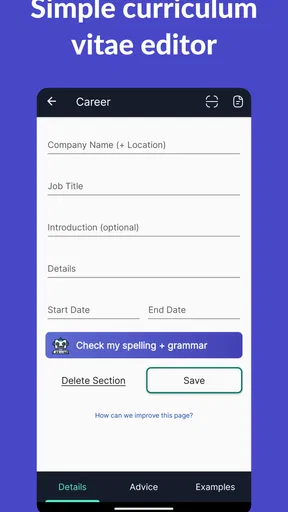
The app uses a simple question-and-answer format to gather all the necessary information about your work experience, education, and skills. This is perfect for those of us who might not know where to start or what exactly to include. Plus, the app’s templates are professional and eye-catching, giving your resume that polished look without any of the stress.
Making Progress Without Rushing the Details
The guided format is particularly helpful if you have a mixed work history: a part-time role, a stretch of study, volunteer experience, or a gap you are unsure how to explain. Rather than trying to compose a polished document from nothing, you can first gather the facts in the relevant sections. My practical tip is to prepare dates, job titles, and a few specific examples of your responsibilities before you begin. That makes the prompts easier to answer and reduces the temptation to fill space with vague claims.
For a realistic use case, imagine hearing about an opening during a lunch break and wanting to apply before the end of the day. A guided builder can help you assemble the basic structure on your phone, then revisit the wording when you have more time. I would still read the finished document from top to bottom before sending it: a neat template cannot tell whether a bullet is accurate, whether an old role deserves space, or whether the most relevant experience appears early enough.
Choosing a Layout That Fits the Job
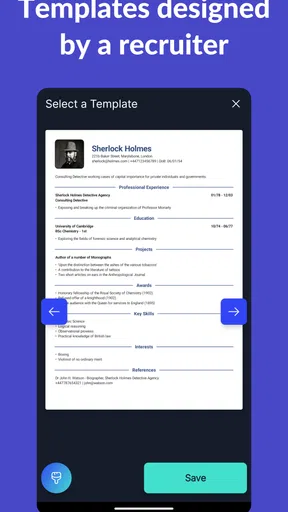
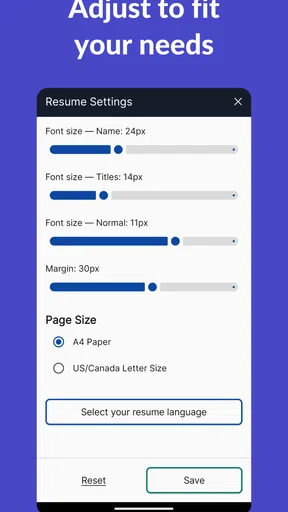
One thing I loved about this app is the level of customization it offers. You’re not stuck with just one generic template. Instead, you can pick from a range of styles and layouts that suit your personal taste or the industry you’re aiming for. Want to switch up the font or color scheme? Go for it! It's all about making your resume uniquely yours.
That flexibility is useful, but I would make the job itself the deciding factor rather than choosing a design simply because it looks distinctive. A restrained layout is often the safer choice when an employer values quick scanning, while a more expressive look may suit some creative applications. Before committing, check that headings and dates remain easy to spot and that the page still feels readable on a small screen. A design choice should clarify your experience, not compete with it.
Worth Reading Before You Choose

EA SPORTS FC Mobile 26 Is a Bigger Football Game, but It Takes Time

Flipboard Shows What News Apps Must Do Beyond the Feed

Switching to Android Auto Means Rethinking Your Driving Routine

Google Calendar Makes a Crowded Week Easier to Manage

Ludo King Makes the Most of the Minutes Between Plans

Baby Panda World Brings Quick Play to Modern Phones, but Its Game Library Feels Busy
Additionally, the app allows you to save multiple versions of your resume. This is super handy if you're applying to different types of jobs and need to tailor your resume accordingly. No more fumbling around with different documents; everything's neatly organized in one place.
A useful way to take advantage of separate versions is to keep one broad, accurate master resume and make focused copies for different kinds of roles. For example, someone applying for both customer-facing work and office support can bring the most relevant responsibilities forward in each version without changing the underlying facts. I would use clear labels for those drafts and check which one is selected before exporting. Multiple versions make tailoring easier, but they also create a small risk of sending the wrong one if you move too quickly.
Exporting, Reviewing, and Sharing
Once you're done crafting your masterpiece, exporting it is a breeze. You can download your resume as a PDF, which is the preferred format for most employers. The app also offers options to share your resume directly via email or other apps. It’s all about convenience, and this app nails it.
What's more, the app includes a feature to print your resume straight from your phone. Talk about handy! Whether you need physical copies for a job fair or just like having a hard copy on hand, this feature has got you covered.
I would use the PDF as a final checkpoint, not just as a file to send. Open it after export and scan for awkward line breaks, crowded sections, or a page that ends in an odd place. This matters especially when you have edited a version for a particular vacancy: the content can be right while the final layout still needs attention. If an employer requests a different file format or a specific application form, follow those instructions instead of assuming a PDF is always suitable.
Advice and the Job-Search Context
Now, this is where things get really interesting. The app doesn't just stop at helping you create a resume. It also integrates with job search platforms. So, while you're working on your resume, you can simultaneously browse job listings that match your skills and experience. It's like having a personal career coach right in your pocket.
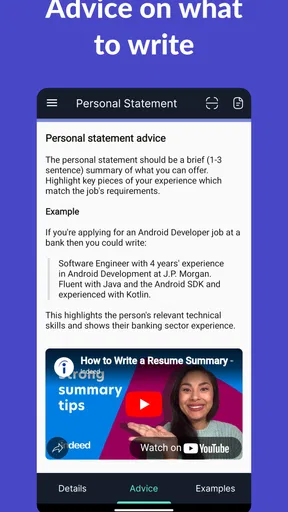
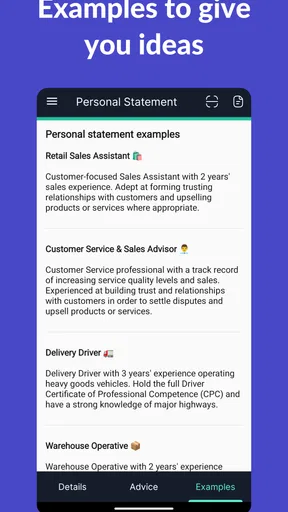
The app provides tips and advice tailored to your job search journey. Whether it's crafting the perfect cover letter or preparing for an interview, you'll find valuable insights to help you stand out from the competition.
I see those resources as helpful prompts rather than a promise that a particular application will succeed. A general tip can remind you to prepare examples or tighten a summary, but the strongest wording still comes from your actual experience and the requirements of the job in front of you. If you already have a resume workflow you trust, a dedicated word processor may offer more control; if you are starting out or need a quick structure, the guided format is the more approachable route.
Using It on a Shared Household Device
A resume contains personal employment and education details, so I would be careful if the phone or tablet is shared with family members. Before passing the device to someone else, finish or close your own work and make sure you are not leaving a draft open for the next person to edit accidentally. I would also avoid treating a shared device as a shared account: each job seeker should keep their own information and final files distinct, and check the selected resume before sending or printing.
That boundary matters in ordinary household routines. A parent might use the phone to update a resume in the evening, while another adult needs the device for a form the next morning. Keeping exported files clearly named and checking the recipient before sharing can prevent an outdated draft or someone else’s details from going out by mistake. The app can help organize versions, but household coordination still depends on the people using the device.
Who Should Use It—and Who May Prefer Something Else
I would recommend trying it if you want a guided way to build a first resume, need to make a targeted version quickly, or find document formatting more frustrating than describing your experience. Its free starting point makes it easy to explore, while optional in-app purchases range from $1.99 to $44.99 per item, so I would check any purchase screen carefully and decide whether a paid option is genuinely useful to you before proceeding.
It is less compelling for someone who already has a carefully designed resume and wants fine-grained control over every spacing, column, and element. A conventional document editor may be a better fit for that kind of precision, and an employer’s own application portal should take priority whenever it asks for information in a specific format. I would also avoid relying on a template to solve a weak or unfocused application: the content still needs to make a clear case for why your experience fits the role.
The app is rated for Everyone, but that rating is not a reason to share one person’s job-search material with younger family members or to assume everyone on a household device should use the same draft. For a young person preparing a first resume, I would review the wording together and make sure personal contact details are handled thoughtfully. That is ordinary care with sensitive information, rather than a special family feature.
What to Expect Before You Start
Resume Builder - CV Engineer has an average rating of 4.6 from around 90,000 ratings, and it has been installed over 5 million times. It was released on January 30, 2018; the current version is 18.01.51, and it requires Android 7.0 or later. Those figures suggest it has reached a broad audience, but they do not remove the need to judge whether its guided workflow suits your own habits.
If you are wondering whether you can make more than one tailored resume, the app’s version-saving feature supports that kind of workflow. If you need to share a finished copy, PDF export and direct sharing are available, with printing from a phone also offered. If your main concern is getting hired, remember that a polished document is only one part of an application: verify the details, adapt the emphasis to the vacancy, and follow the employer’s submission instructions.
My Take for a Job-Seeking Household
In the end, the Resume Builder - CV Engineer app is more than just a tool; it's a companion for your job hunting journey. It's designed to take the guesswork out of creating a resume, making the process straightforward and stress-free. Whether you're a fresh graduate or a seasoned professional looking for a change, this app offers something for everyone.
For a household with several people applying at different times, I like the idea of using its guided structure to get each person past the blank-page stage, while keeping drafts and exported files separate. It is best approached as an individual workspace on a shared device, with a quick check before anyone edits, shares, or prints. That small bit of coordination helps preserve the app’s convenience without confusing one person’s work history with another’s.
So, if you're gearing up for a job search and need a little assistance, give this app a try. You might just find that the road to your dream job is a bit smoother with this handy tool in your arsenal.
Pros
- User-friendly interface makes navigation easy.
- Wide variety of templates to choose from.
- Allows PDF export for professional sharing.
- Customizable sections for personalized resumes.
- No sign-up required for basic features.
Cons
- Limited template designs in the free version.
- Lacks advanced formatting options.
- Advertisements can be intrusive at times.
- No option to import existing resumes.
- Some features locked behind a paywall.
FAQs for Resume Builder - CV Engineer
What features does Resume Builder - CV Engineer offer?
Resume Builder - CV Engineer provides a range of features designed to simplify the resume creation process. Users can choose from various templates, customize sections like education, experience, and skills, and receive tips for enhancing their CV. The app also supports exporting resumes in popular formats like PDF, ensuring compatibility for job applications.
Is Resume Builder - CV Engineer free to use?
Resume Builder - CV Engineer offers a free version with basic features suitable for creating a simple resume. However, to access advanced features such as premium templates, customization options, and additional exporting formats, a subscription or one-time purchase may be required. Users can decide based on their needs and budget.
How user-friendly is Resume Builder - CV Engineer for beginners?
Resume Builder - CV Engineer is designed with an intuitive interface that makes it highly user-friendly, even for beginners. Step-by-step guidance and helpful tips throughout the app simplify the process of creating a professional resume. Users don't need prior experience in design or resume writing to get started.
Can I create multiple resumes with Resume Builder - CV Engineer?
Yes, Resume Builder - CV Engineer allows users to create and manage multiple resumes. This feature is particularly useful for tailoring resumes to different job applications. Users can save various versions and easily switch between them, ensuring each application is customized and targeted effectively.
Does Resume Builder - CV Engineer include cover letter templates?
Resume Builder - CV Engineer not only helps with resume creation but also includes templates for crafting cover letters. These templates are designed to complement the resume styles, allowing users to maintain a consistent and professional look across all application materials. This ensures a cohesive presentation to potential employers.


